
While most website traffic is still coming from Google Search, some users are using AI tools to search for products and services. Therefore, it’s worthwhile to check your Google Analytics 4 (GA4) data to see which pages users are landing on via AI tools. More importantly, you should determine whether users are landing on 404 error pages, as AI tools can cite or recommend pages that no longer exist.
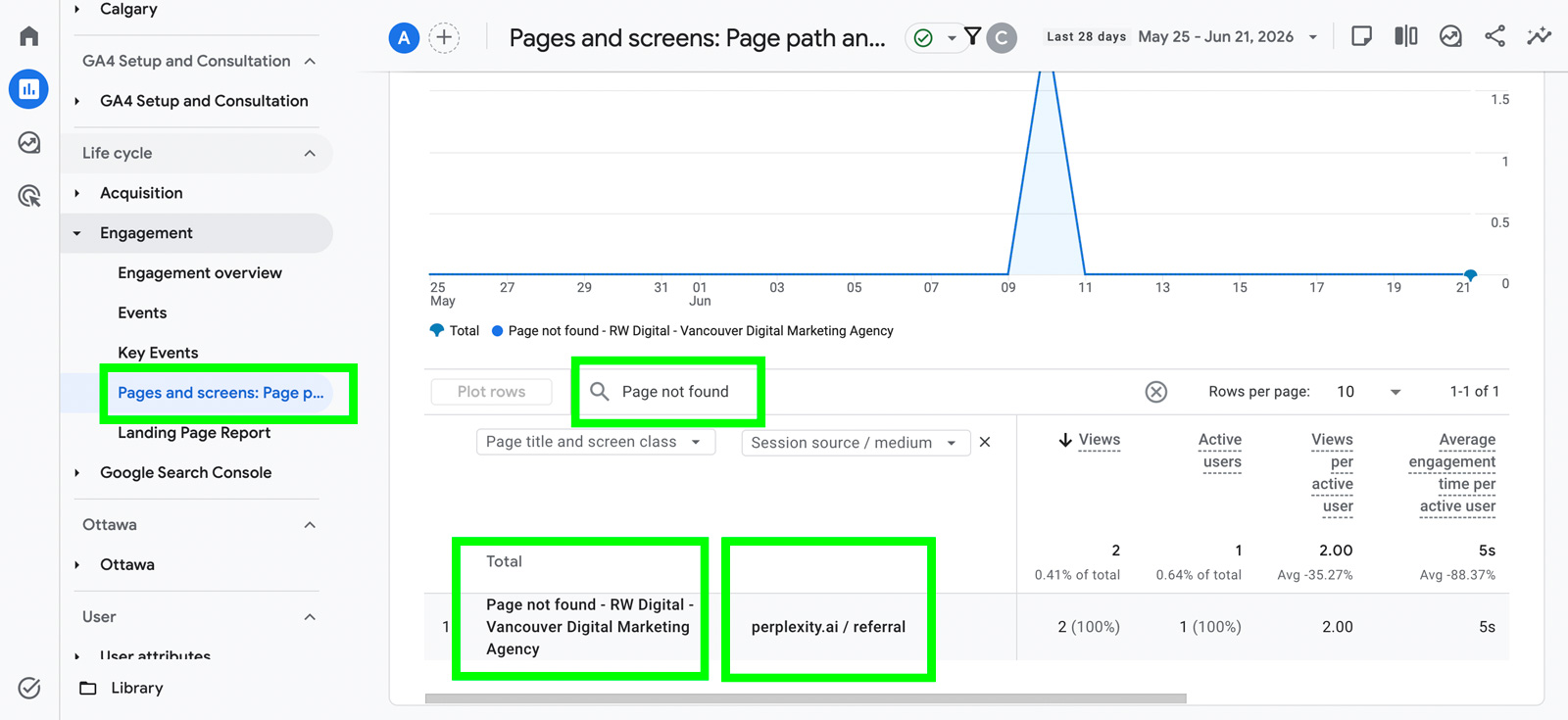
To assess which pages users are landing on via AI tools, go to the Pages and Screens report, search for “Page not found” (or whatever title you use for your error page), and select Session source / medium as the secondary dimension. Once you’ve done this, you’ll be able to see whether AI tools are driving traffic to 404 pages. In our case, Perplexity was driving traffic to a 404 page on our website.
To identify the specific page, change the primary dimension to Page path, keep Session source / medium as the secondary dimension, and search for the AI tool that is driving traffic to the error page. In our case, we searched for Perplexity.
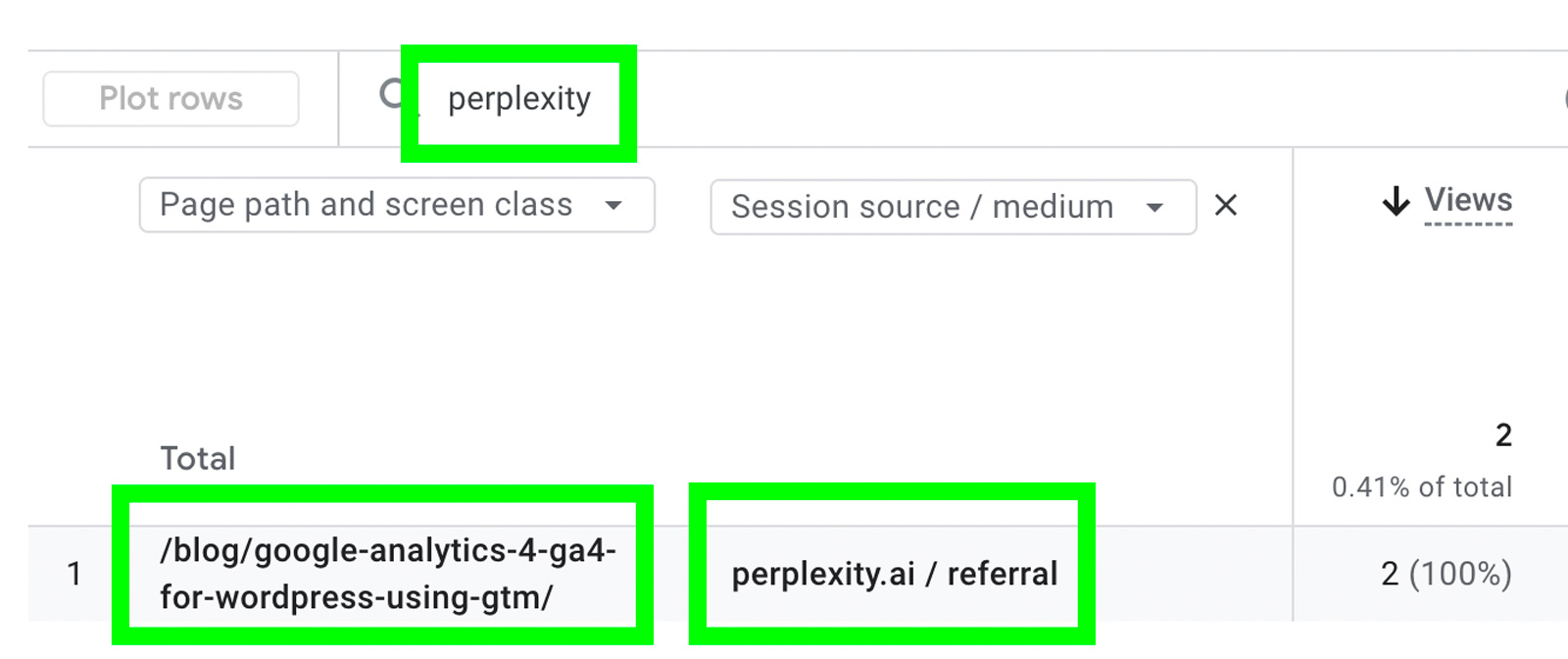
From the results, we found that Perplexity was driving traffic to http://rwdigital.ca/blog/google-analytics-4-ga4-for-wordpress-using-gtm/, which is a 404 error page.
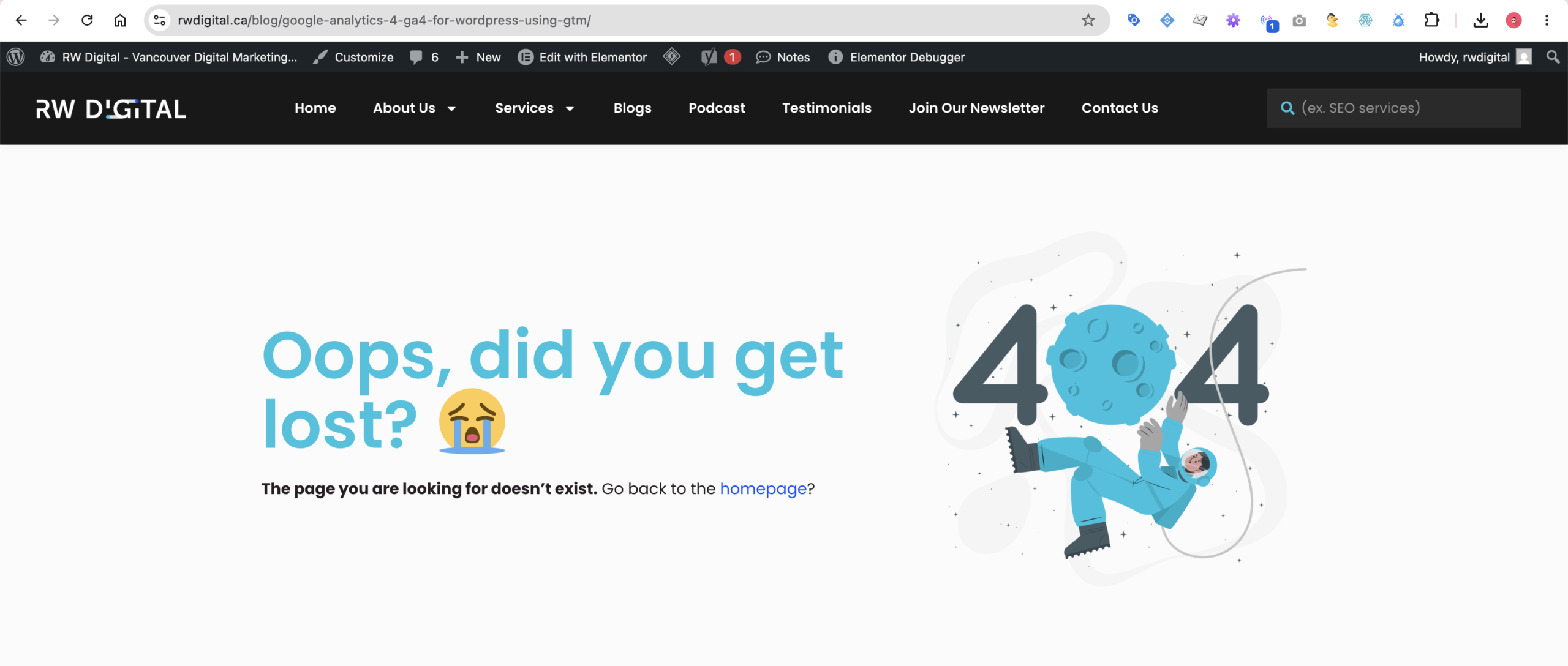
We’ve set up a redirect from http://rwdigital.ca/blog/google-analytics-4-ga4-for-wordpress-using-gtm/ to https://www.rwdigital.ca/blog/google-analytics-4-ga4-for-wordpress-setup-guide/, which is a functioning page. This ensures that users arriving from AI tools, as well as any other traffic source or medium, are directed to a working page instead of encountering a 404 error when they visit the old URL.