Microsoft Clarity has released the Citations dashboard to show users how their content is referenced in AI-generated answers across Microsoft-powered AI platforms such as Microsoft Co-pilot.
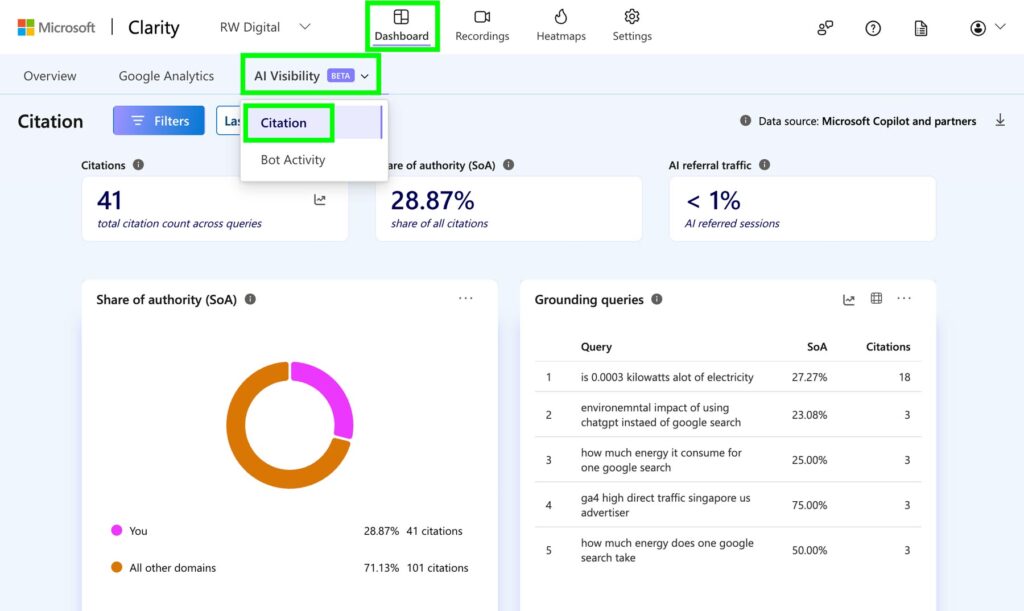
To see the Citations dashboard, go to Dashboard, click on AI Visibility, and then click on Citations.
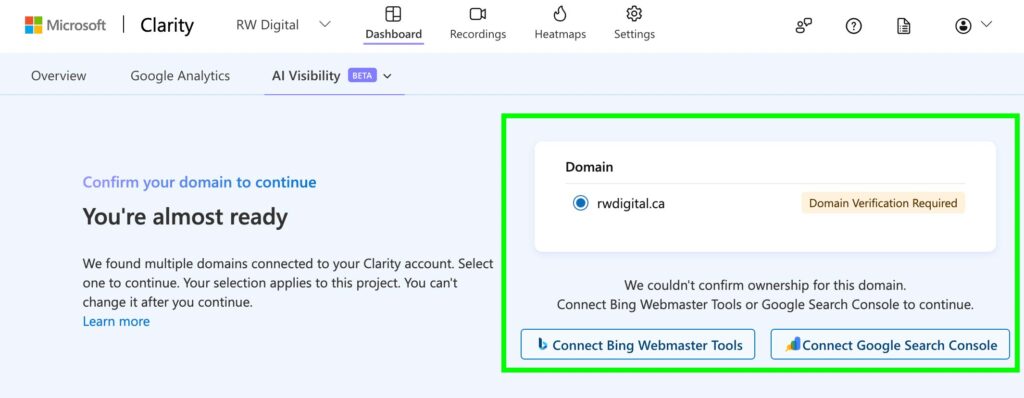
You may have to verify your account via Bing Webmaster Tools or Google Search Console
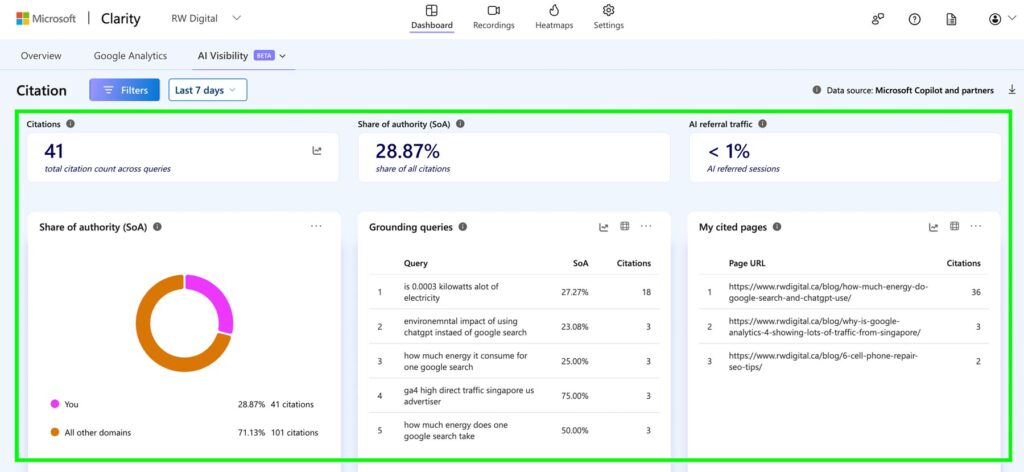
You will see your AI citation data across Microsoft-powered AI platforms once you’ve verified your account.
Basic definitions
Page citations
The total number of times pages from your website were referenced in AI-generated answers during the selected time period, including multiple citations within the same response.
Share of authority
A competitive metric showing the percentage of total AI citations attributed to your website compared to other cited websites appearing within the same set of queries.
AI referral traffic
The percentage of website sessions originating from AI assistants during the selected time period. This is calculated by dividing AI-referred sessions by total sessions.
Queries
The search queries and prompts used by AI systems to retrieve, evaluate, and reference your content before generating responses. This helps businesses understand how AI systems interpret user intent and connect users with website content.
My cited pages
A page-level report showing which URLs from your website were cited in AI-generated answers, along with citation counts and related queries. This helps identify which pages AI systems most frequently select as trusted sources.
Trendlines
Trendline reporting allows businesses to analyze how AI citations, cited pages, and query activity change over time as content evolves and AI search behavior shifts.