
Task Assistant is a checklist of items you can set up and configure to get the most out of Google Analytics 4 (GA4). The tasks are automatically updated based on what has and hasn’t been set up in your GA4 property.
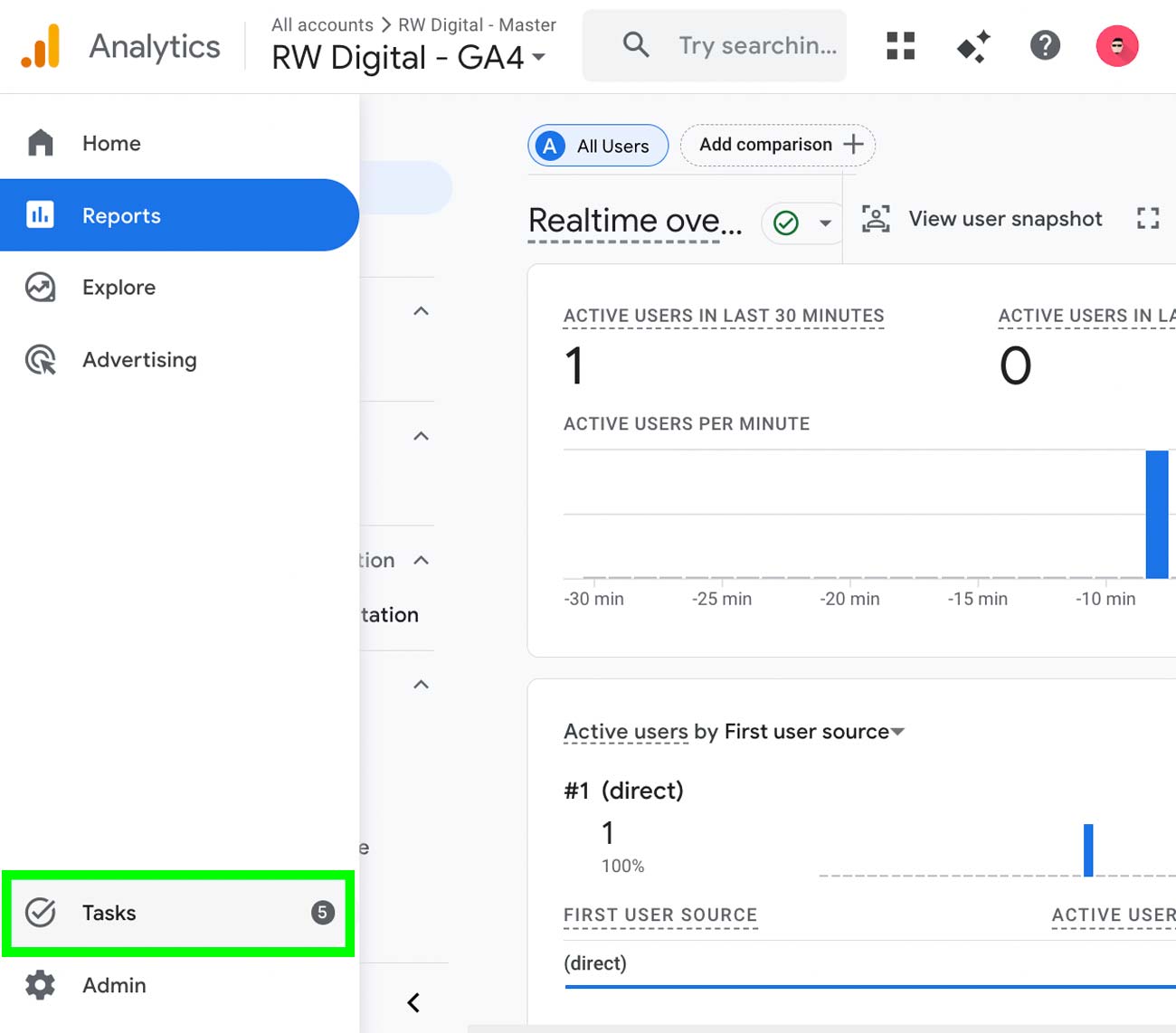
You can find the Task icon on the bottom-left corner of the interface.
you’ll need Marketer, Editor, or Administrator access for the Google Analytics property. If you have a lower level of access – like Analyst or Viewer – you won’t see the Tasks icon and won’t be able to access Task Assistant.
At the top, we can see the number of recommended tasks remaining.
Below this, tasks are grouped by category:
- Get Started
- Connect Your Accounts
- Enhance Your Reporting
- Optimize Your Advertising
- Add First-Party Data
- Fix Data Issues
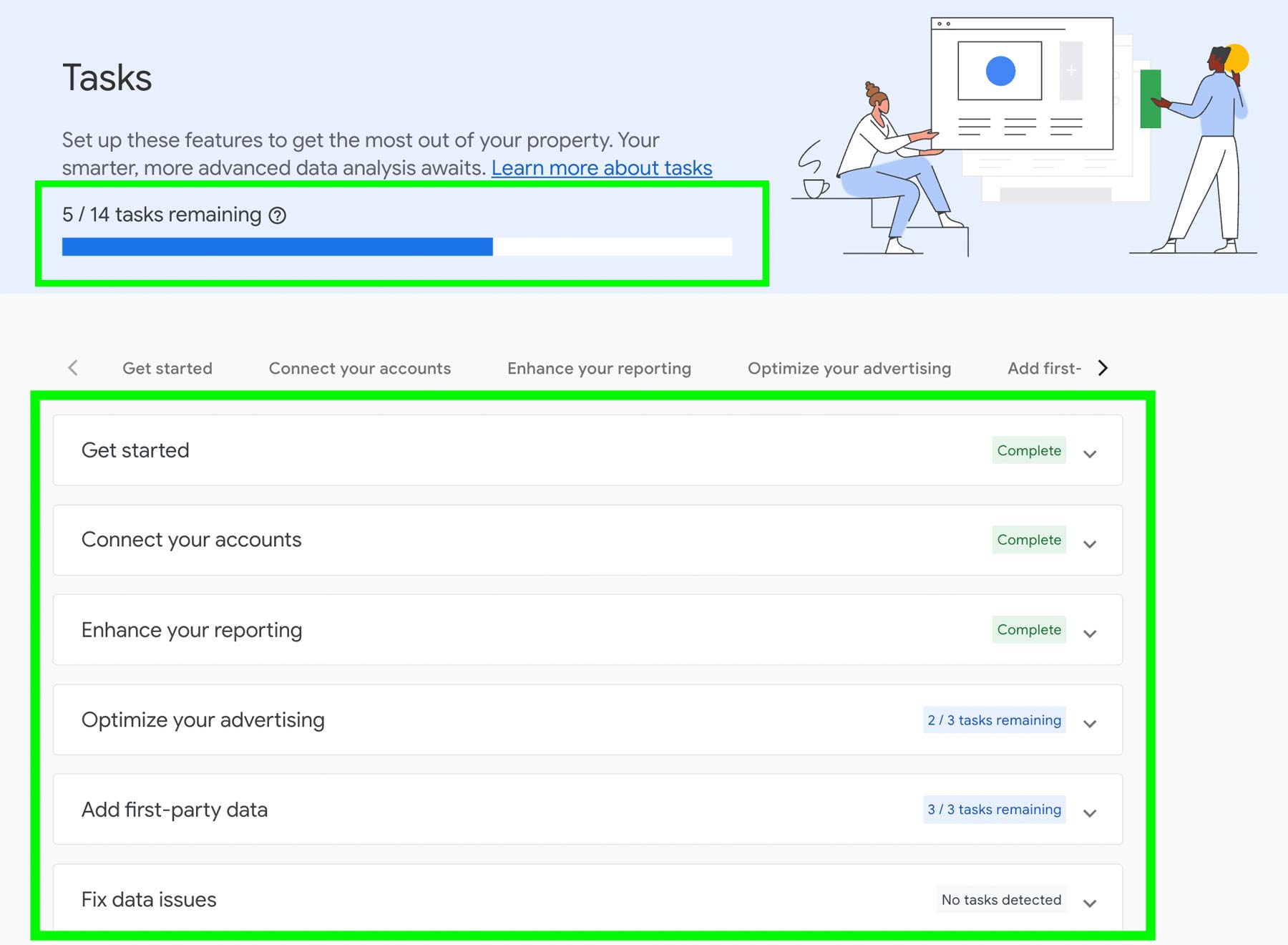
For each category, you can see whether all tasks have been completed on the right. If you see the “Complete” label, it means every task in that category is done. Otherwise, you’ll see the number of remaining tasks.
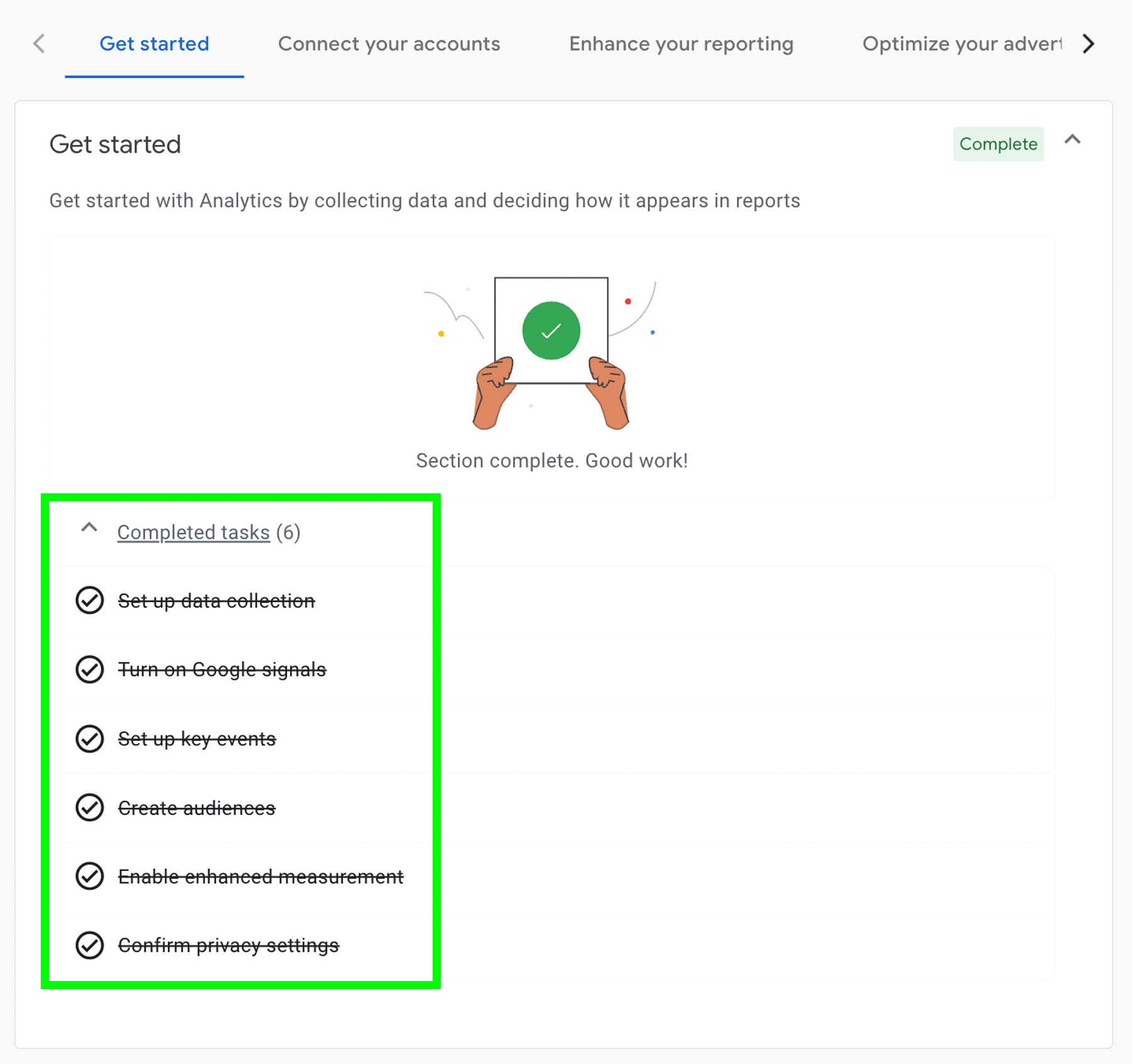
Google has structured Task Assistant so the most important tasks are listed first. So if you have tasks under “Get Started,” I recommend covering these first. This category includes things like setting up data collection, turning on Google Signals, and configuring key events.
An example of completed tasks
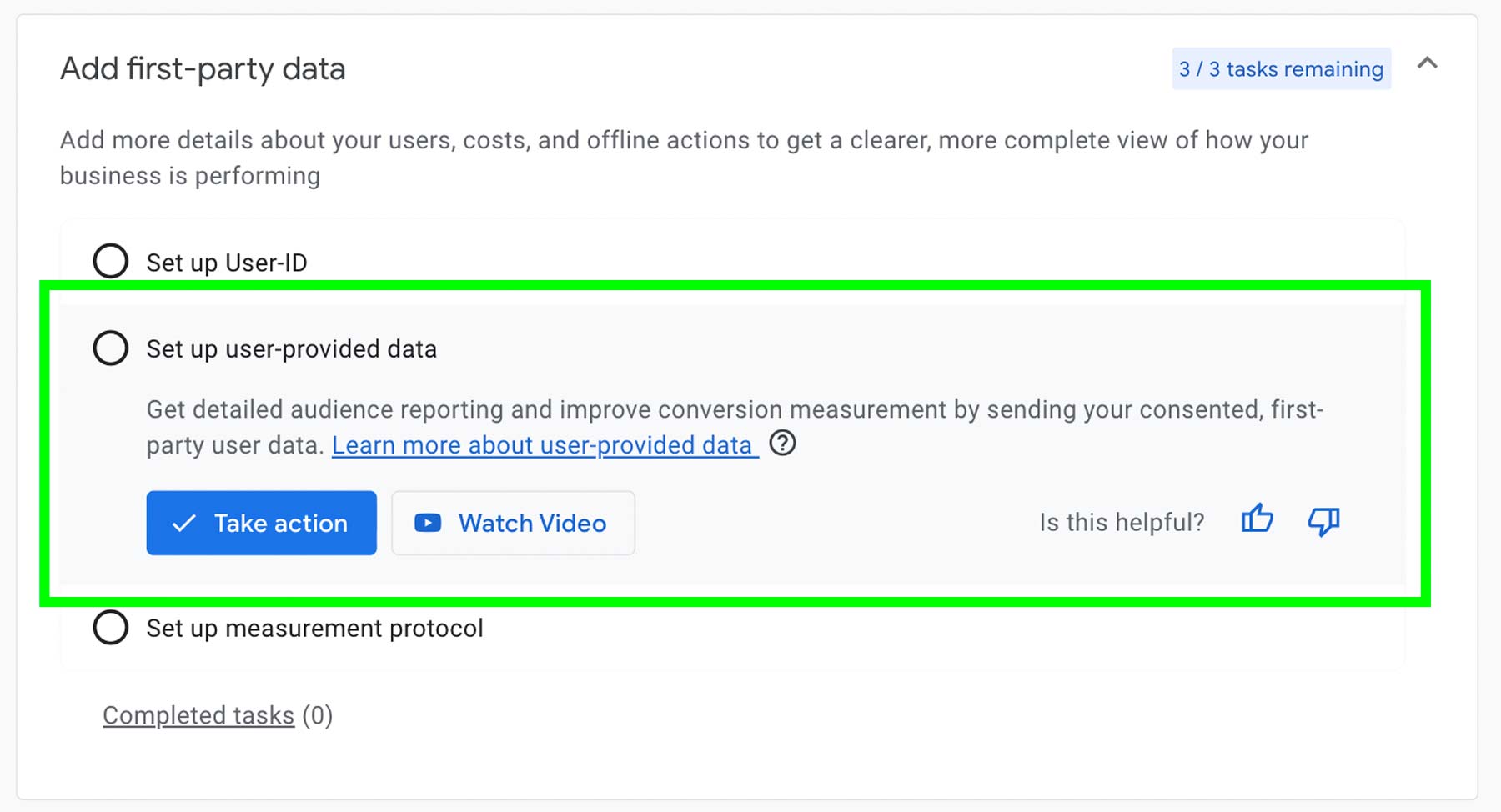
We’re given a short summary for every task so we will know what will need to be done and achieved once this task is completed.
Each task has a “Take Action” button, and some tasks include “Watch Video” buttons that you can click to watch a short video explaining the task.
That’s how Task Assistant works. By working through the items, you can make sure your property is set up for success and that you’re not missing any important features or integrations. Not all tasks can be applied to a GA4 property so you can work on ones that are applicable to you.