
Google Search Console now lets eligible websites filter branded versus non-branded queries. This filter helps you better understand whether your online brand is strengthening, whether you’re gaining more traffic from general, industry-related queries, and other insights. It’s another way to analyze your SEO performance and identify opportunities for improvement.
To use the branded and non-branded query filters, go to Performance and select Filters.
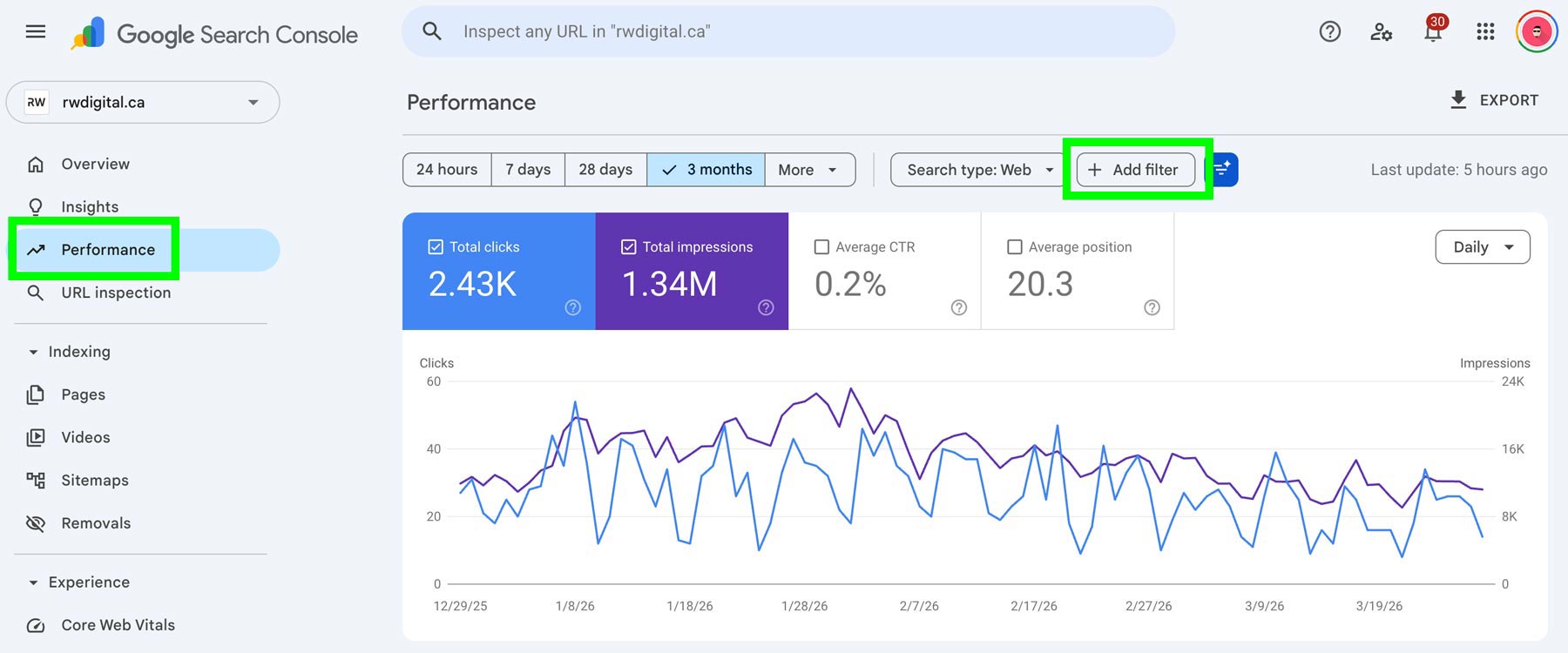
Then, select Query.
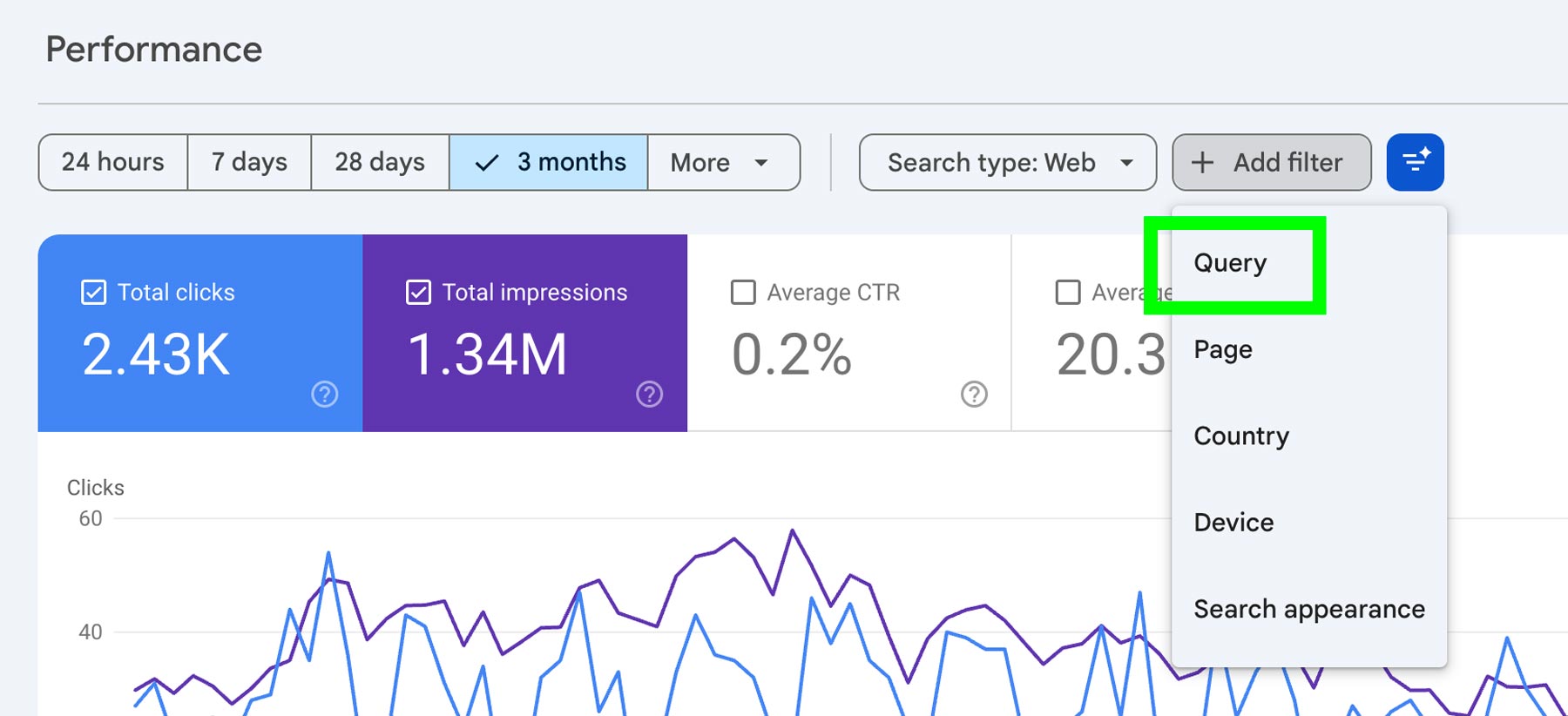
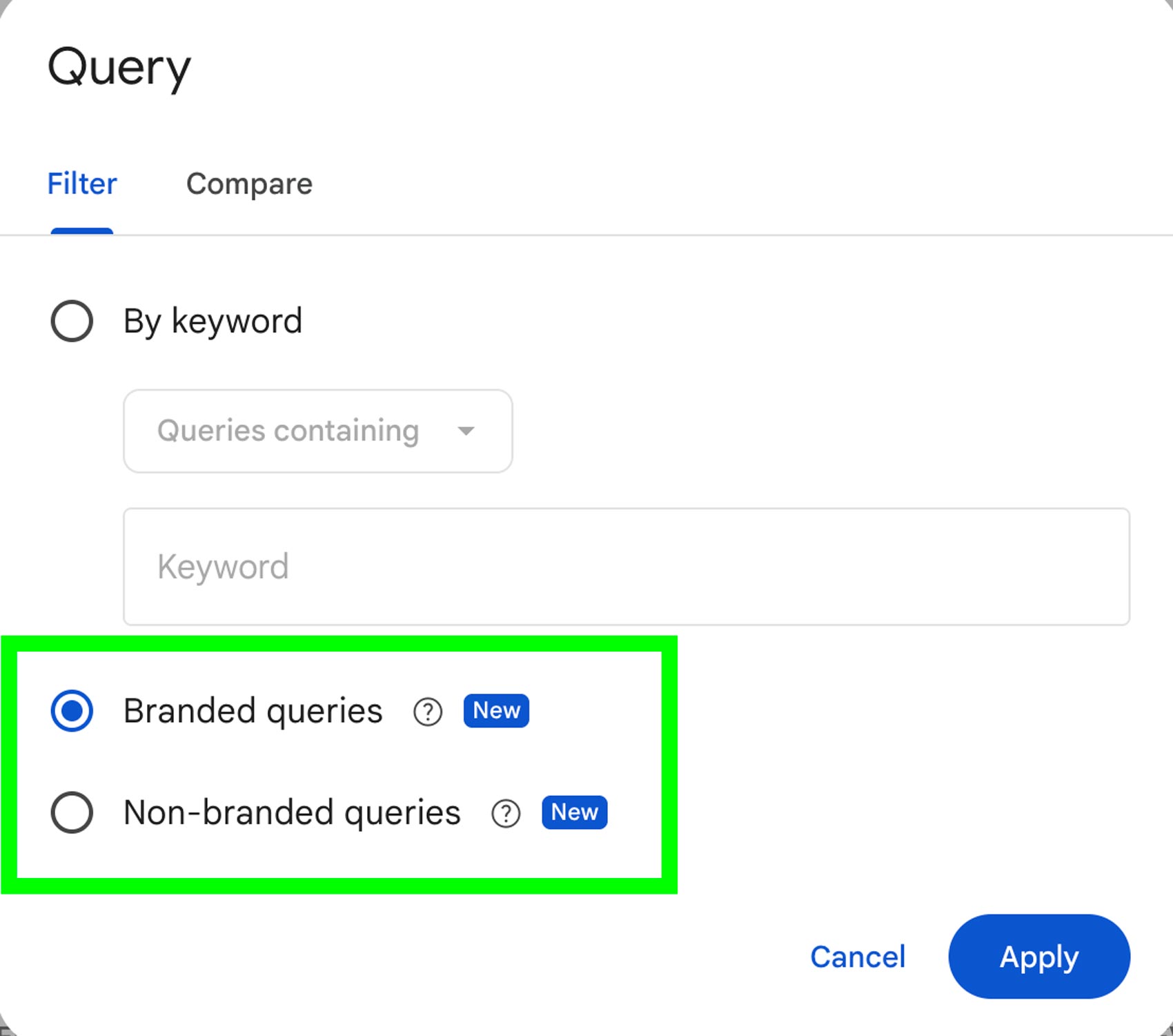
From there, you can select Branded queries vs Non-Branded queries.
This is what you’ll see when you select branded queries (the results will reflect your own queries and data).
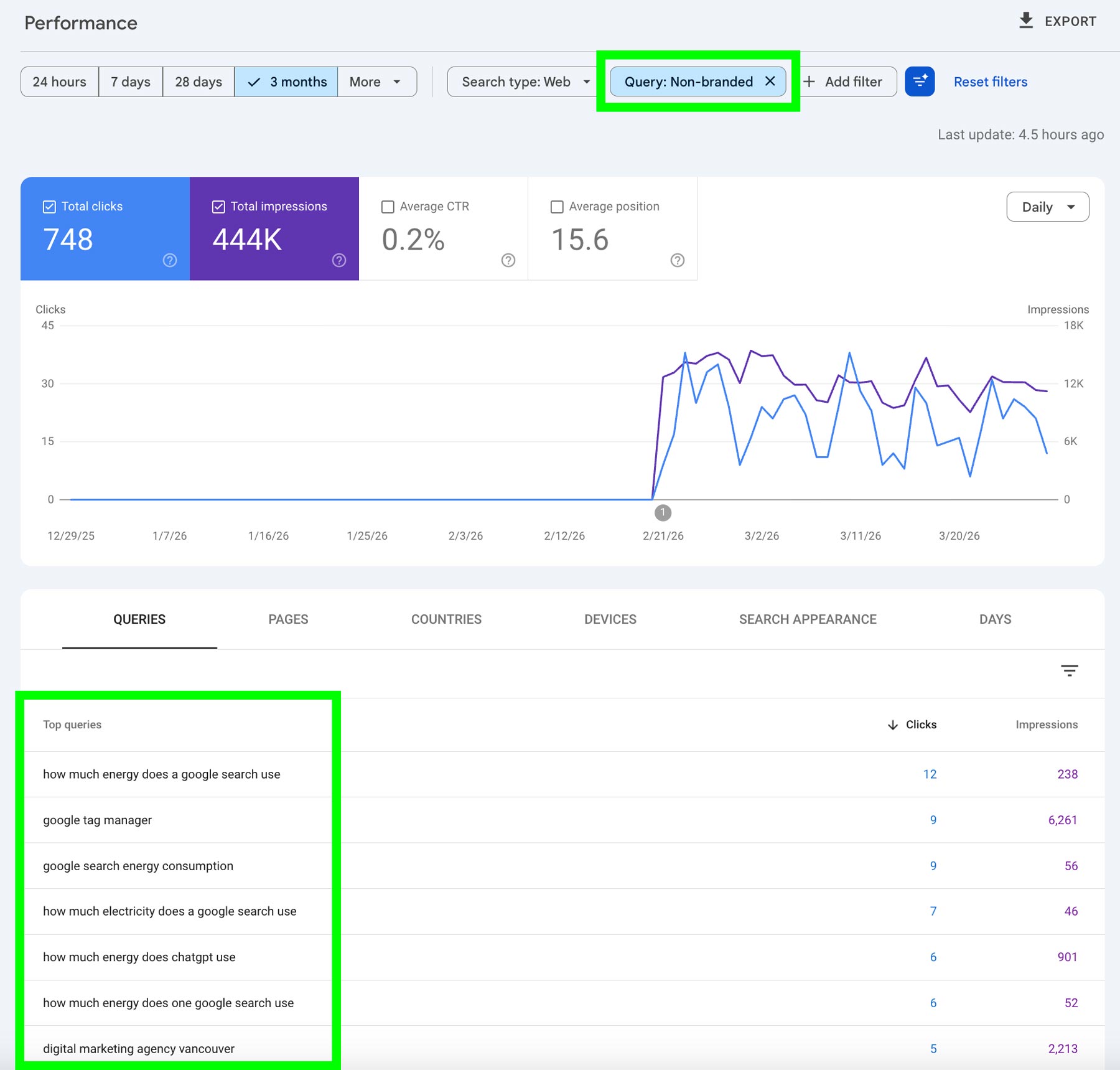
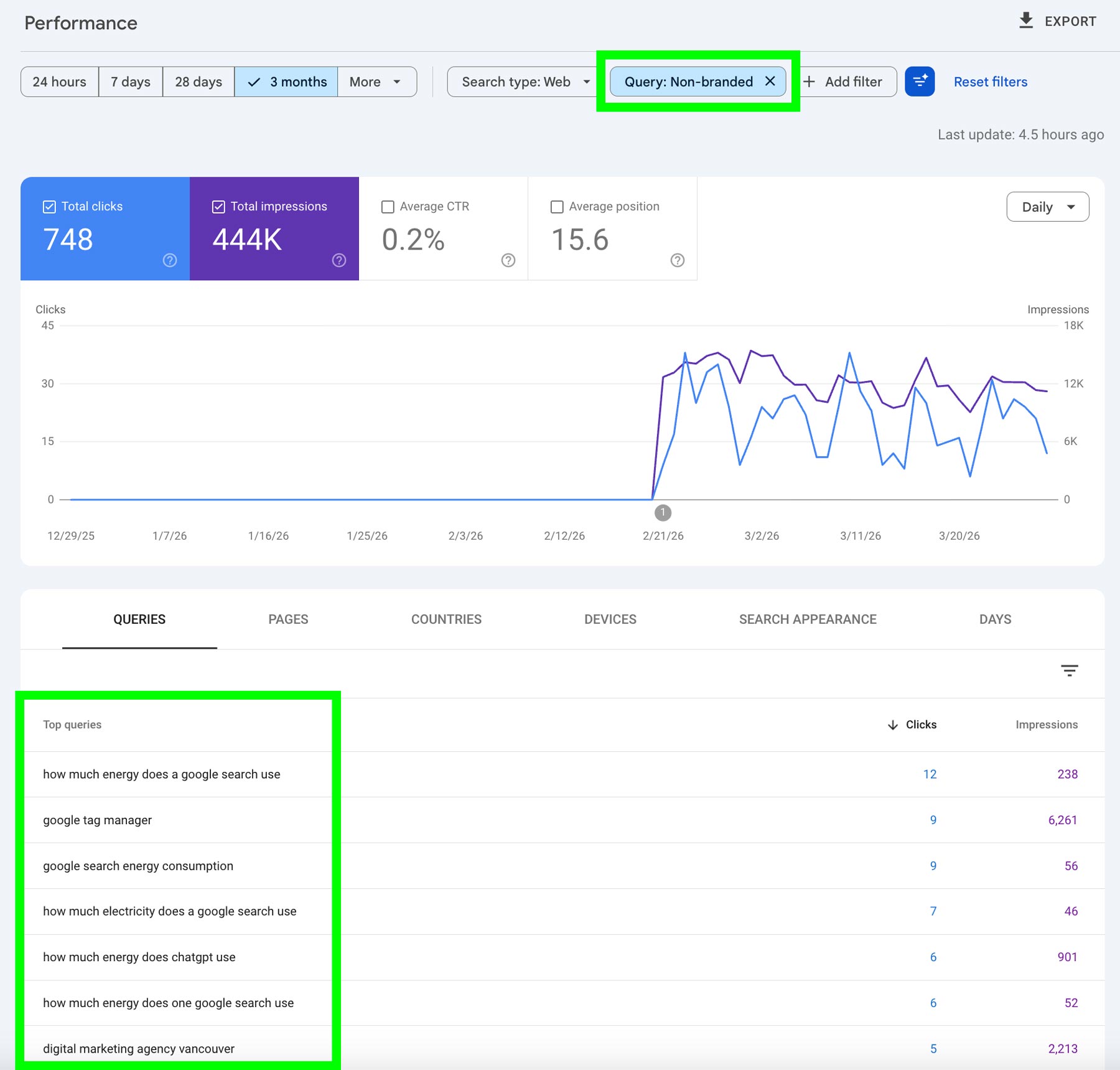
This is something you’d see when you select non-branded queries.
The branded vs. non-branded query filter in Google Search Console adds another layer of clarity to your SEO analysis. By separating these two types of traffic, you can better understand how your brand is growing while also identifying opportunities to capture new audiences through non-branded search. Used consistently, this filter can help guide smarter, more focused SEO strategies over time.